listOn this page
Adobe Acrobat is the software many nonprofits use to create, edit, sign, and manage PDF documents. But Adobe offers more than Acrobat. Through Adobe for nonprofits, eligible charitable organizations can access tools such as Acrobat Pro, Adobe Express Premium, and Creative Cloud at nonprofit pricing.
Whether you need to prepare grant documents, create campaign graphics, edit videos, or collect electronic signatures, Adobe can cover several everyday nonprofit needs. Here’s what the different Adobe nonprofit offers include, who can apply, how much they cost, and where to get them.
TL;DR: Adobe Acrobat helps nonprofits create, edit, sign, and manage PDFs. Eligible organizations may qualify for free Adobe Express Premium for up to 50 users, discounted Acrobat Pro for up to 10 licenses, and discounted Creative Cloud access through Adobe’s nonprofit partners.
Quick Overview of Adobe Nonprofit Tools
Adobe product | What it’s for | Nonprofit offer | Apply via |
Adobe Acrobat Pro | Create, edit, sign, and manage PDFs | Discounted pricing, up to 10 licenses | Adobe |
Adobe Express Premium | Social graphics, flyers, videos, and quick designs | Free for up to 50 users | Adobe |
Adobe Creative Cloud | Photoshop, Illustrator, Premiere Pro, InDesign, and more | Around 60% off in year one and 40% off afterward | TechSoup/UK charity partners |
What Is Adobe Acrobat?
Adobe Acrobat is Adobe’s family of software and web services for viewing, creating, editing, signing, and managing PDF files. It is designed for everything from opening a document and filling out a form to creating professional PDFs and collecting electronic signatures. One important distinction: PDF is a file format, while Acrobat is the software used to work with PDF files.
You may encounter three main versions:
Feature | Acrobat Reader | Acrobat Standard | Acrobat Pro |
View and print PDFs | Yes | Yes | Yes |
Fill and sign | Yes | Yes | Yes |
Edit PDF text | Limited | Yes | Yes |
Create PDFs | Limited | Yes | Yes |
E-sign documents | Basic | Yes | Yes |
Combine and organize files | Limited | Yes | Yes |
Advanced tools such as redaction | No | Limited | Yes |
For nonprofits, Acrobat can be particularly useful when teams are dealing with grant applications, donor records, agreements, reports, consent forms, and other documents that need to be shared or signed securely. Adobe Acrobat for Nonprofits can be particularly useful for organizations managing these document-heavy tasks.

What Is Adobe for Nonprofits?
Adobe for nonprofits is Adobe’s program for eligible charitable organizations that want access to Adobe products at discounted or no-cost rates. Depending on the product, the offer may be available directly from Adobe or through a nonprofit technology partner.
For an Adobe for nonprofit organization, eligibility varies by region. In the US, eligible organizations generally include IRS-recognized 501(c)(3) public charities, along with certain qualifying public libraries. Outside the US, organizations generally need to be registered or legally recognized as public charities under local law.
Adobe also lists organizations that don't qualify, including private foundations, many healthcare organizations, government agencies, political or lobbying organizations, trade associations, labor or fraternal organizations, and individuals. Schools, colleges, and universities generally need to use Adobe’s education pricing instead.
The application process typically follows three stages:
- Check your eligibility.
- Complete nonprofit verification, which Adobe says typically takes 1–3 business days.
- Start using the eligible product.
One detail worth remembering: you don't necessarily get every Adobe product through one application. Acrobat, Express, and Creative Cloud have separate offer and application paths, so an Adobe for nonprofit organizations application does not automatically cover every available product.
Adobe Acrobat Pro for Nonprofits
Adobe Acrobat Pro for nonprofits is aimed at organizations that need more than basic PDF viewing and signing. It provides tools for creating, editing, converting, organizing, signing, and protecting PDF documents.
Adobe launched its Acrobat for Nonprofits offer in November 2024. At launch, Acrobat Pro was priced at $15 per user per year, representing a 94% discount from the standard retail price. However, Adobe’s current pricing structure can change, so organizations should check the live nonprofit offer before budgeting around that figure.
The nonprofit offer has also been described as supporting up to 10 Acrobat Pro licenses per qualifying organization. Adobe requires organizations to reapply annually to maintain the discounted rate.
For a nonprofit handling contracts, grant paperwork, forms, reports, or e-signatures, Acrobat Pro can remove a lot of document-related friction. It can also be useful for teams that need to turn files created in Word, Excel, or PowerPoint into polished PDFs. Adobe Pro for Nonprofits can therefore be relevant for organizations looking for advanced PDF capabilities.
If you’ve come across the term Adobe Pro for Nonprofits, it may refer to Acrobat Pro specifically. In other contexts, however, “Pro” can refer to a Creative Cloud plan, so check the product name before applying.
Adobe Creative Cloud for Nonprofits
Adobe Creative Cloud for Nonprofits is the better fit for organizations with regular design, photography, video, or publishing needs.
The All Apps offering can include applications such as:
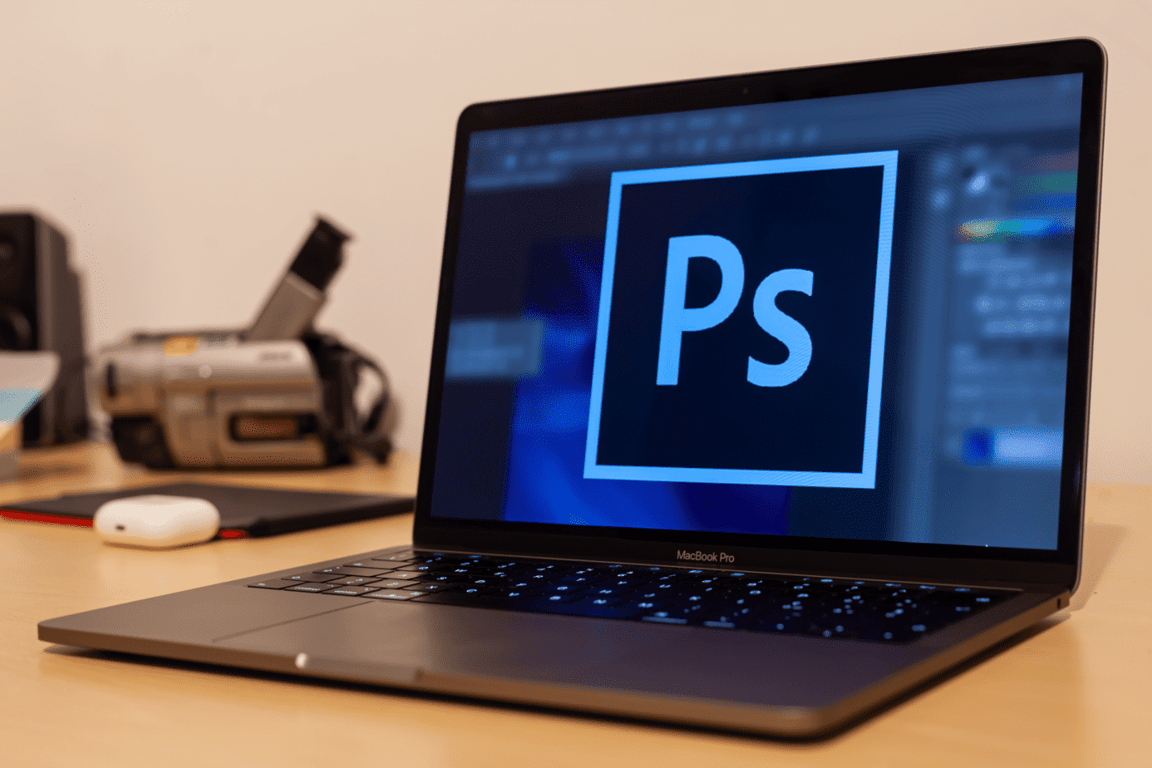
- Photoshop
- Illustrator
- Premiere Pro
- InDesign
- Lightroom
- Acrobat Pro
- Cloud storage
Unlike Acrobat Pro and Adobe Express, Creative Cloud nonprofit access is administered through nonprofit technology partners rather than the same direct Adobe application route. In the US, nonprofits generally access the program through TechSoup. UK charities may use TechSoup UK or Charity Digital Exchange.
The discount has historically been around 60% off in the first year and 40% off in renewal years, with a small TechSoup administration fee in applicable cases. The important takeaway is that the discount can change after the first year. Don't assume the initial price will remain the same at renewal. If you see Adobe Cloud while researching the UK program, that's not necessarily an informal name. TechSoup UK uses the term Adobe Cloud in its nonprofit catalog.
Creative Cloud is also different from Acrobat Pro when it comes to licensing. The Creative Cloud nonprofit offer has historically allowed unlimited individual memberships for qualifying organizations, while Acrobat Pro has a 10-license cap. For organizations comparing Adobe Cloud for Nonprofits options, the licensing difference is worth keeping in mind.
Adobe Express for Nonprofits
If your nonprofit needs attractive content without a dedicated designer, Adobe Express for Nonprofits may be the easiest place to start. Adobe Express is designed for quick content creation, including social media graphics, fundraising flyers, presentations, short videos, and campaign visuals. You can work from templates instead of building every design from scratch.
Eligible nonprofits can receive Adobe Express Premium free for up to 50 users. The premium offer includes features such as premium templates, Adobe Fonts, Adobe Stock assets, and cloud storage.
Another useful point: Adobe Express is applied for directly through Adobe, not TechSoup. Adobe confirmed that Express was removed from TechSoup’s catalog in September 2025.
For fundraising teams, Express can be useful for creating donor thank-you letter graphics, event flyers, campaign announcements, social media posts, and visuals for a fundraising page. For that reason, Adobe Express for Nonprofits can be a practical option for smaller teams that need quick design tools.
How Much Does Adobe Cost for Nonprofits?
Adobe nonprofit pricing depends on the product, region, and current offer. The following figures reflect the pricing structure described in the brief and should be checked against the live program before publishing or budgeting.
Product | Approx. standard price | Nonprofit price | Typical discount |
Acrobat Pro | Around $240/year | Verify current rate | 94% at 2024 launch |
Adobe Express Premium | Around $120–150/year | Free for up to 50 users | 100% |
Creative Cloud All Apps | Around $660–840/year | Around 40–60% off | 40–60% |
How Much Is Adobe Creative Cloud for Nonprofits?
Eligible nonprofits have historically received around 60% off Adobe Creative Cloud in the first year and around 40% off in renewal years through TechSoup in the US or nonprofit partners in the UK. A small administration fee may also apply.
Because Adobe and its nonprofit partners can update their pricing and terms, check the current offer before committing to a long-term budget. If you're searching how much is Adobe Creative Cloud for nonprofits, the exact amount can vary by region and the current program terms.
How to Apply for Adobe Nonprofit Discounts
The application process depends on the Adobe product and where your organization operates.
US nonprofits
For Acrobat Pro and Adobe Express, apply directly through Adobe. Each product has its own nonprofit offer. For Creative Cloud, use TechSoup’s nonprofit program. You'll generally need a TechSoup account and organization verification, and an administration fee may apply.
UK nonprofits
For Acrobat and Express, use Adobe’s direct nonprofit application route. For Creative Cloud, UK charities can check TechSoup UK and Charity Digital Exchange to see which route offers the most suitable current terms.
Have your organization details and proof of charitable status ready. US organizations may need their IRS 501(c)(3) determination letter, while UK and international organizations may need equivalent charity registration or tax-exempt documentation.
How Nonprofits Use Adobe
Adobe’s nonprofit customer stories show that these tools can support much more than graphic design.
- BRIDGEGOOD uses Acrobat for resumes, portfolios, e-signatures, and web forms while helping young creatives build career skills.
- CyArk uses Acrobat to manage documents such as statements of work, invoices, consent forms, and educational materials while working on cultural heritage preservation.
- World Education has used Acrobat Reader mobile to help digitize healthcare materials for people in remote areas.
- Ripple Effect Images uses Creative Cloud to produce storytelling content supporting women and girls around the world.
The common thread is pretty simple: Adobe tools can help nonprofit teams create, organize, share, and communicate information without juggling a completely different tool for every task.
Other Free and Discounted Tools for Nonprofits
Adobe isn't the only option. Depending on your team’s needs, these nonprofit programs are also worth exploring:
Tool | What it’s useful for | Nonprofit offer |
Canva for Nonprofits | Easy graphic design | Canva Pro free for eligible nonprofits, up to 50 users |
Google for Nonprofits | Workspace, productivity, advertising | Free Workspace and Google Ad Grants |
Microsoft nonprofit programs | Office, cloud, and productivity tools | Donated or discounted licenses, depending on eligibility |
Comparing programs before signing up can help your organization avoid paying for overlapping tools.
In a Nutshell
Adobe can cover several practical needs for a nonprofit, from editing grant documents and collecting signatures to designing social posts and producing campaign videos. The right option depends on what your team actually uses: Acrobat Pro for documents, Express for quick creative work, or Creative Cloud for more advanced design and media production.
Once your creative and document workflows are sorted, you can focus on the other half of the equation: raising funds and reaching supporters. Start your fundraiser on WhyDonate and bring your campaign assets, story, and fundraising strategy together in one place.
FAQs (Frequently Asked Questions)
1. What is Adobe Acrobat?
Adobe Acrobat is software for viewing, creating, editing, signing, converting, and managing PDF files. Acrobat Reader is the free version for basic PDF tasks, while Acrobat Standard and Pro offer more advanced editing, creation, signing, and document-management features.
2. What is Adobe for Nonprofits?
Adobe for Nonprofits is a program that gives eligible charitable organizations access to selected Adobe products at discounted or free rates. Available offers include Acrobat Pro, Adobe Express Premium, and Creative Cloud, although application and eligibility requirements differ by product.
3. Is Adobe Creative Cloud free for nonprofits?
No, Creative Cloud is generally not free under the nonprofit offer. Eligible organizations have historically received a substantial discount, with roughly 60% off in the first year and 40% off afterward. Current pricing should be confirmed through the applicable nonprofit partner.
4. How much is Adobe Creative Cloud for nonprofits?
Adobe Creative Cloud for nonprofits has historically been available at around 60% off during the first year and around 40% off during renewal years. US organizations generally apply through TechSoup, while UK charities can check TechSoup UK and Charity Digital Exchange for current options.
5. Who is eligible for Adobe nonprofit discounts?
Eligibility generally covers qualifying public charities and their local equivalents. Adobe excludes several categories, including private foundations, government agencies, political organizations, trade associations, and individuals. Schools and universities generally need to use education pricing.
6. How do UK charities apply for Adobe discounts?
UK charities can apply directly through Adobe for eligible Acrobat and Express offers. Creative Cloud access may be available through TechSoup UK or Charity Digital Exchange, so it's worth checking both routes and comparing the current terms.

Sudatta is a senior content manager with more than 10 years of experience in the content space and an expert in crowdfunding and fundraising-related topics. She enjoys creating engaging and reader-friendly content. In addition to writing, Sudatta is also passionate about music, travelling, and reading.